
Apple Diagnostics will test your Mac for hardware issues and suggests solutions.
when you isolate an issue on your Mac to a possible hardware issue, you can take Apple Diagnostics in order to determine which hardware component might be causing the issue. Apple Diagnostics also suggests solutions and helps you contact Apple Support.
If your Mac was presented before June 2013, it uses Apple Hardware Test instead.
How to use Apple Diagnostics?
- Disconnect external devices completely but keyboard, mouse, display, Ethernet connection (if applicable), and connection to AC power.
- put your Mac on a hard, flat surface with acceptable ventilation
- Shut down your Mac.
- Turn on your Mac, then press and hold the D key on your keyboard right away. Keep holding until you see a screen to ask you to choose your language. When Diagnostics knows your language, it displays a progress bar that it means Diagnostics is checking your Mac:
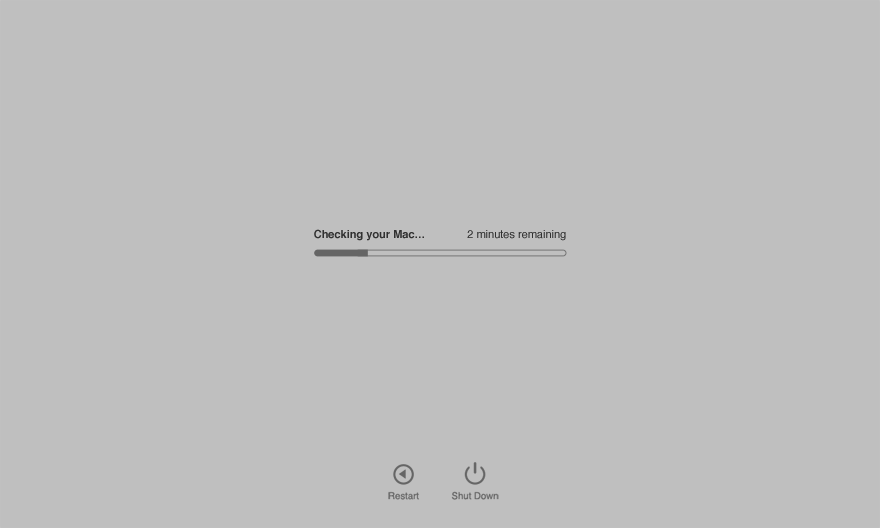
- Checking procedure will take 2 or 3 minutes. If any issues are found, Apple Diagnostics suggests solutions and prepares reference codes. Note the reference codes before continuing.
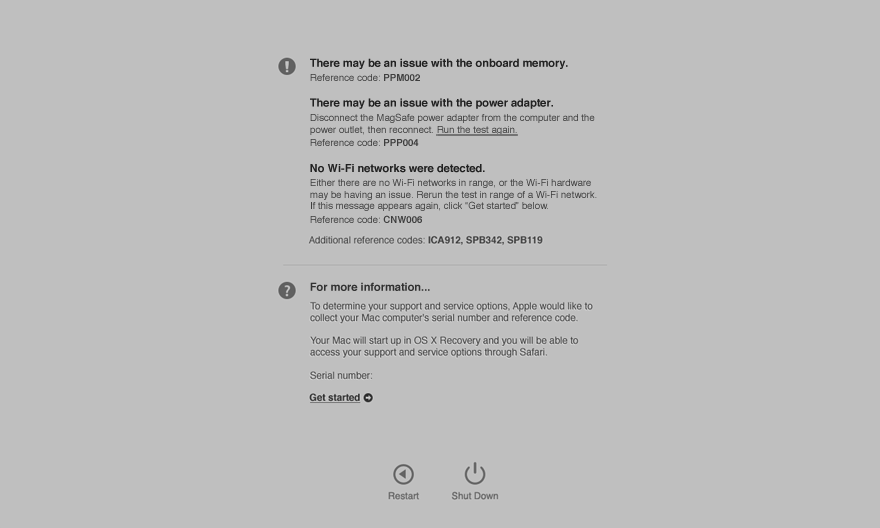
- Choose one of these following options:
- To repeat the test, click” Run the test again” or press Command (⌘)-R.
- For more information, including details about your service and support options, click” Get started” or press Command-G.
- To restart your Mac, click Restart or press R.
- To shut down, click Shut Down or press S.
If you choose to get more information, your Mac starts up from macOS Recovery and shows a web page asking you to choose your country or region. Click” Agree to send” to send your serial number and reference codes to Apple. Then follow the onscreen service and support instructions. After all, choose Restart or Shut Down from the Apple menu.
TopTek System (TTS) is an Apple Authorized Service Provider. All of our technicians receive Apple training and they deliver the same high-quality service with genuine Apple parts and the proper tools, which provided and recommended by Apple, to open and close the device therefor the repairs are backed by Apple. Genuine Apple Parts are critical to a quality repair. Visit us to make sure you get your product back working the way it should.
To get service for your iMac, you can call us or make a reservation online.
There's no charge if your Macbook issue is covered under warranty, AppleCare+, or consumer law.
Not sure if you're covered? Check your coverage by entering your Macbook serial number.
LCD /Screen Replacement
You need this service if your Mac has Crack in the LCD, Dim LCD or distorted display. We replace the defective screen with original Apple part.
**** If you have 12-inch MacBook or MacBook Pro 13/15 inch with Retina display and have experienced issues with the anti-reflective coating wearing off or delaminating, please call us now to determine is you are eligible for replacement display under Apple program. *********
