
Set up your new device with Quick Start Quick Start occupies both devices, so make sure that you choose a…

Reply to a Message from Apple Watch
Reply to a message Turn the Digital Crown to scroll to the bottom of the message, then choose how to…

How to Reset your Apple ID Password
Follow these steps to change your Apple ID password. On your iPhone, iPad, iPod touch, or Apple Watch Tap Settings…
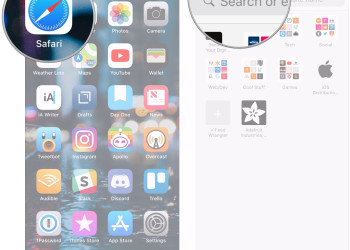
How to Use Safari on iPhone
In the Safari app , you can browse the web, view websites, preview website links, translate webpages, and add the…

How to Back up with iCloud
If you back up your iPhone, iPad, or iPod touch, you'll have a copy of your information to use in…

How to use Live Text in a photo
With iOS 15, you can use Live Text to copy and share text within photos, translate languages, make a call,…

How to use Quick Note?
In iPadOS 15, you can start a Quick Note while you’re using another app, and then find it in Notes…

Where to Buy Applecare+
Service and support from the people who know your iPhone best. Because Apple makes the hardware, the operating systems, and…

How Updating Your iPhone, iPad or iPod Touch
Let’s check the levels for updating your iPhone, iPad or iPod touch to the latest version of iOS or iPadOS…
How to Update or Reinstall Safari for Your MacBook?
The Safari web browser for Mac computers, is installed and updated as part of macOS. For PCs, Safari updates are…

How to Service the Battery and Recycle?
As you may know, all kinds of rechargeable batteries have a limited lifetime and may need to be serviced or…

Make the most of Battery Life and Lifespan
As you may know “Battery life” is the amount of time your device goes before it needs to be recharged.…

What you should know about Lithium-ion?
In comparison with traditional battery technology, lithium-ion batteries charge is really faster, last longer, and have a higher power density…

Some Points for System Information on Your MacBook
You can take the advantages of the System Information app to check a summary of information about your Mac hardware,…

Identify Your Mac Mini Model
You can easily use this information to get along with Mac mini you have, and where it fits in the…

How to Reset NVRAM or PRAM on Your MacBook
Whenever your Mac has some problems related to settings stored in NVRAM or PRAM, resetting it can help. NVRAM (nonvolatile random-access…

Let’s Know Your MacBook Model
You can check this information to find out which MacBook you have, and where it fits in the history of…

Recognize Your MacBook Air Model
Use this information to get which MacBook Air you have, and where it fits in the history of MacBook Air.…

Recognize Your MacBook Pro Model
We prepare this information to know, which MacBook Pro you have and where it fits in the history of MacBook…

Some Points About MacBook Models with the Apple T2 Security Chip
Let’s check which Mac computers have the Apple T2 Security Chip. Actually, the Apple T2 Security Chip is Apple's second-generation, custom silicon…
